
Muviz Edge: AOD & Edge Lights
Sparkine LabsPersonalization
4.51.66K Reviews
- Version
- 2.1.4.0
- Installs
- 10.00M
- Age Rating
- Everyone
Screenshots
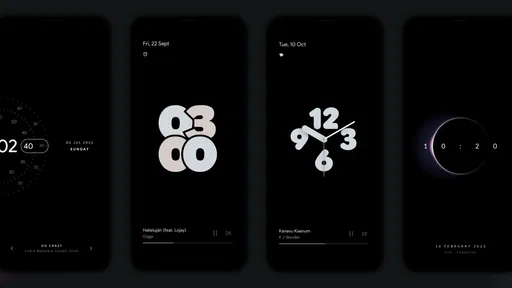
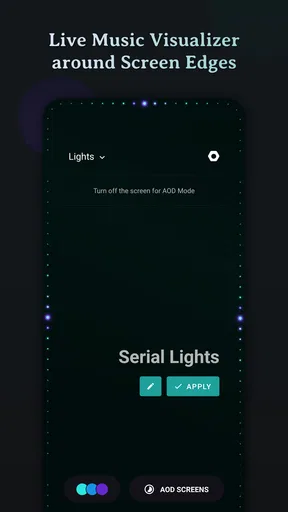
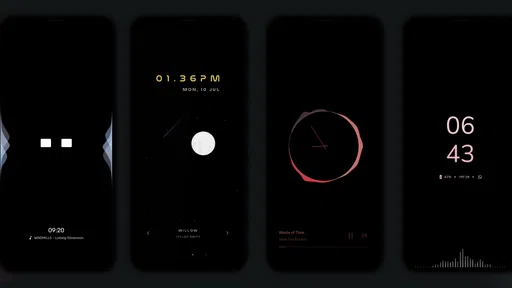
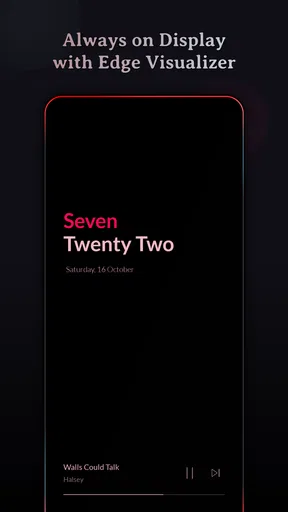
Our Review of Muviz Edge: AOD & Edge Lights
 Analysis by Appyee
I judge personalization apps by whether they make a phone more enjoyable without making everyday use harder. Muviz Edge sits in an interesting spot: it turns screen edges into visual cues and adds a music-reactive display, but those effects are most useful when they suit the way you actually look at and handle your phone. For me, the appeal is not simply making a handset brighter; it is choosing when a glow adds useful context and when it would be needless visual noise.
What the lights are good for
The app’s mix of edge lighting, music visualization, and an always-on display gives it more than one possible role. I would treat these as separate tools rather than turn everything on at once. Music effects are for moments when the screen is visible and a visual response to sound is welcome. Notification lighting is more about a quick glance, while an always-on display can make the locked screen feel more informative. Choosing a restrained combination is often more comfortable than using every effect continuously.
That distinction matters if you share a room, work around other people, or prefer a calm screen. A bright animation that is fun while listening to music can be distracting during a quiet conversation. I would try a low-key look first, then make the effect more vivid only for settings where it will not pull attention away from something else.
Who is likely to enjoy it
I can see this working especially well for someone who likes customizing a phone’s appearance and wants a visual companion for music without replacing a music player. It also has a practical angle for people who keep their phone silent and can check the screen from nearby. If you rarely leave your phone visible, prefer a completely plain lock screen, or find animated light tiring, the main attractions may not justify keeping the app active.
It is also worth thinking about how you use alerts. Edge lighting can make a notification easier to notice at a glance, but it does not tell you whether a message is important or whether it needs an immediate reply. I would still rely on the notification controls and habits that work for me; the light is an extra signal, not a substitute for deciding which alerts deserve attention.
Small choices that improve the experience
A useful way to assess the app is to test one situation at a time. Try the music visualizer while the phone is propped up, then see whether the movement is enjoyable from your usual listening position. Separately, try notification lighting with the phone on a desk. This makes it easier to tell whether an effect is genuinely visible to you or merely attractive when you are already staring at the screen.
I would also consider the room and the phone’s placement before settling on a style. A glow that reads clearly on a desk may be hard to notice when the phone is face down or tucked into a bag. At night, a subtle effect is less likely to disturb someone nearby than a vivid one. These are simple trade-offs, but they shape whether the app feels like a helpful personal touch or another source of distraction.
Some people will want a visual alert because sound is inconvenient, while others may not find a screen-based cue accessible or dependable for their needs. I would not treat edge lighting as a replacement for vibration, sound, or the phone’s built-in accessibility settings. It is best viewed as an optional visual layer that can complement the ways you already notice calls and messages.
How it compares with simpler options
Compared with a standard wallpaper or a static lock-screen layout, Muviz Edge is more dynamic: the edges can respond to music and serve as a visual notification cue. That extra movement is the point, but it is also the main reason it will not suit everyone. A built-in notification setting or a plain always-on screen may be the better choice if you want fewer moving parts, less visual stimulation, or a straightforward way to check basic information.
There is a practical difference between decoration and utility here. A visualizer is most rewarding when the display is in view; it does not add much when the phone is in a pocket. An edge alert can be more useful at a glance, but only if you can see it and recognize it in your surroundings. I would decide which of those jobs matters to me before spending time tuning the look.
Cost, compatibility, and expectations
Sparkine Labs makes this free personalization app, with optional in-app purchases priced from $0.99 to $4.99 per item. It is rated for Everyone, has a 4.7 average from around 151,000 ratings, and has been installed over 10 million times. Those figures suggest a broad audience, but they cannot tell you whether animated edges will feel comfortable or useful on your own phone.
The current version is 2.1.0.0, and the app requires Android 9 or later. That makes checking your operating system a sensible first step before you plan around its features. I would also keep expectations practical: personalization can make a phone feel more individual, but it does not change how quickly you can read a message or whether you notice an alert when the screen is out of sight.
Sometimes, the little things can make a big difference, and that’s exactly what Muviz Edge: AOD & Edge Lights does for your mobile experience. I’ve been playing around with this app for a bit, and let me tell you, it's like giving your phone a neon glow-up. Dive in with me as I share my thoughts on how this app brings a party to the edges of your screen.
Setting the Scene
So, what exactly is Muviz Edge: AOD & Edge Lights? Picture this: you’ve got your favorite tunes blasting, and your phone is vibing right along with you. This app adds a colorful, pulsating light show around the edges of your screen, responding to the beat of your music. It’s like having a mini rave in your pocket! What’s cool is that it doesn’t just stop at music. You can set it up to light up for notifications, incoming calls, or even when your device is charging. It’s all about that extra flair.
Getting Started with Style
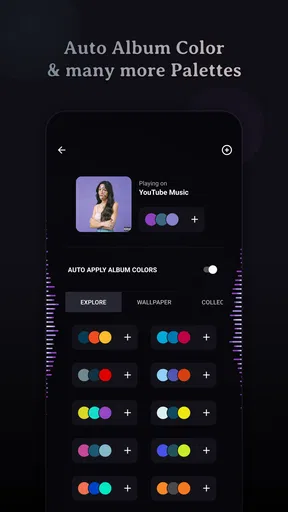
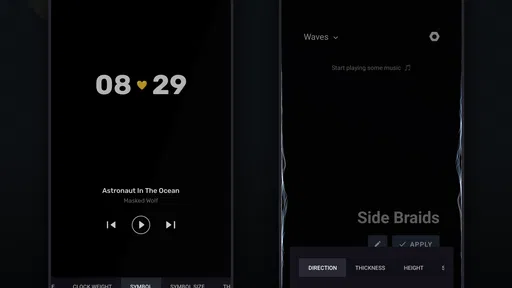
Installing the app is a breeze. Just head over to the Google Play Store or Apple’s App Store, download it, and you’re good to go. Once you open it, you’ll find a user-friendly interface that guides you through setting up your preferred lighting effects. You can choose from a plethora of colors and patterns, making it super customizable. Want a subtle glow or a full-on disco light show? You got it. The options are pretty much endless, which is something I really appreciate.
One of the things I noticed right away is how intuitive the app is. Even if you’re not super tech-savvy, you’ll find it easy to navigate. The app lays everything out clearly, so you can start personalizing your edge lighting without any hassle. Plus, it doesn’t bog down your phone’s performance, which is a win in my book.
Features that Pop
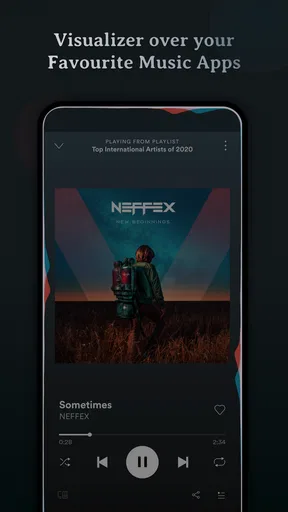
Let’s talk features, because this app is packed. The standout feature has to be the music visualizer. As someone who loves a good tune, having my phone’s edges dance along to my Spotify playlist is just plain fun. It reacts in real-time, so whether you’re into pop, rock, or classical, the lights move with the rhythm.
Apart from the music sync, the notification lighting is super handy. Imagine you’re in a meeting, and your phone is on silent mode. You can still catch that urgent text or call without any sound. The edge lighting serves as a discreet alert, letting you know something’s up without causing a distraction.
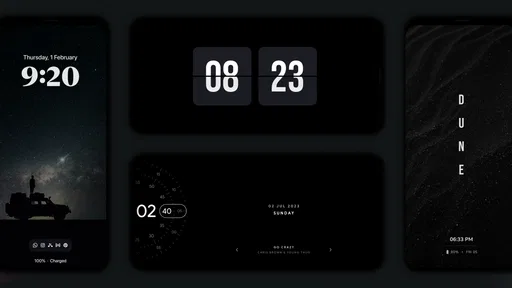
The app also supports Always-On Display (AOD), which is great for those of us who like to keep track of time and notifications at a glance. Even when your phone is locked, the subtle glow of the edge lights keeps you in the loop.
Why You’ll Love It
Okay, so why should you give this app a shot? Well, if you’re like me and love personalizing your gadgets, this app is a game-changer. It adds a touch of personality to your phone, making it not just a device but a reflection of your style. Plus, it’s just plain fun to watch! You can impress your friends at parties or just enjoy the ambiance while chilling at home.
Another thing to love is the battery optimization. I was initially worried that all those lights would drain my battery faster than a marathon runner, but the app is surprisingly efficient. It’s designed to minimize battery usage, so you can enjoy the show without constantly reaching for your charger.
Wrapping It Up
All in all, Muviz Edge: AOD & Edge Lights is more than just a visual treat; it’s a practical addition to your phone’s functionality. Whether you’re an audiophile, a notification junkie, or just someone who loves a bit of flair, this app has something for you. It’s easy to use, customizable, and brings a bit of joy to your everyday phone interactions. So, if you’re looking to add some color to your life, why not let your phone lead the way?
In the end, it’s all about making your tech work for you, and with this app, you get a touch of creativity that’s both entertaining and useful. Go ahead, try it out, and let your phone light up your world!
Verdict
Strengths of Muviz Edge: AOD & Edge Lights
- Customizable lighting effects.
- Minimal impact on battery life.
- Enhances music experience visually.
- User-friendly interface.
- Compatible with most music apps.
Limitations of Muviz Edge: AOD & Edge Lights
- Limited free features.
- Ads can be intrusive.
- May not work on all devices.
- Occasional app crashes.
- Requires permission access.
Other Releases by Sparkine Labs
View All
Muviz Widgets: Clock, Music.,
Personalization4.6
Similar Picks in This Category
View All
Microsoft SwiftKey AI Keyboard
SwiftKey4.3

Wallpapers
Google LLC4.1

Zedge™ Wallpapers & Ringtones
Zedge4.7

Yandex Browser with Alice AI
Direct Cursus Computer Systems Trading LLC4.3

Ringtone Maker:create ringtone
Big Bang Inc.4.7

Fonts Keyboard
Fonts Keyboard3.9
Frequently Asked Questions
What is Muviz Edge: AOD & Edge Lights, and how does it work?
Muviz Edge: AOD & Edge Lights is an app that enhances your phone's display with edge lighting effects and an always-on display (AOD) feature. It works by illuminating the edges of your screen with vibrant colors and patterns that respond to your music, notifications, or simply serve as ambient lighting. It provides a personalized and aesthetic touch to your device.
Does Muviz Edge impact battery life significantly?
While Muviz Edge uses visual effects that can consume some battery, it is designed to minimize impact by optimizing energy efficiency. The app allows you to customize settings to find a balance between visual appeal and battery consumption. Users can adjust brightness and animation speed to further manage battery usage.
Can I customize the edge lighting effects in Muviz Edge?
Yes, Muviz Edge offers extensive customization options. You can choose from a wide range of colors, patterns, and animations to suit your taste. The app allows users to configure different settings for specific apps, ensuring a unique visual experience tailored to each notification or event.
Is Muviz Edge compatible with all Android devices?
Muviz Edge is compatible with most Android devices, but certain features like the always-on display may work best with OLED screens to prevent burn-in issues. It is advised to check the app's compatibility with your specific device model in the Google Play Store to ensure full functionality.
Do I need root access on my device to use Muviz Edge?
No, Muviz Edge does not require root access to function. The app is designed to be user-friendly and accessible to all users without the need for advanced technical modifications. Simply download and install the app from the Google Play Store to start customizing your edge lighting experience.
